In the last article, Get your business noticed with Google Business Profile, we shared how to claim your business profile on Google. In the next few articles, we will look at how to optimize your profile to get maximum business and exposure for your company.
The more complete your Google Business Profile is, the more likely you will have to better your chances of getting noticed through a local search. In fact, three major factors: relevance, distance, and prominence impact local search ranking.
- Relevance measures how closely your listing matches a user’s search.
- Distance is simply how far your store is from the user doing the search.
- Prominence is how much “web credibility” you have online as a business. Factors contributing to this are how good your SEO or search engine optimization is, the number of links back to your site, your online reviews, etc.
There’s a lot of info to provide, but here’s the first of a three-post guide to help you complete your business profile on Google.
Make sure your business information section is thorough.
The business information section for your business profile comprises 5 sections: About, Contact, Location, Hours, and More. We should complete each section.
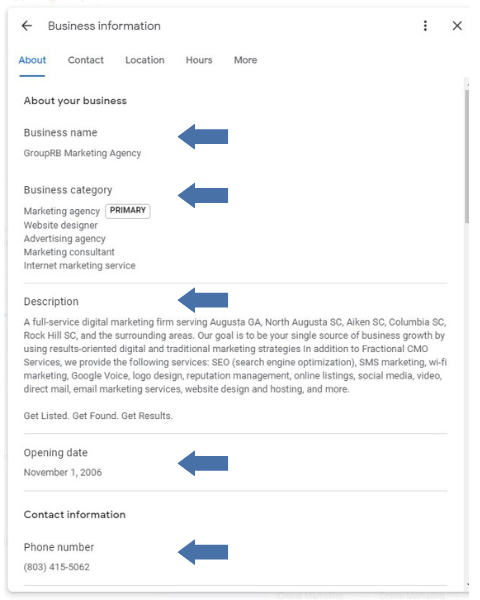
From here, complete your business name — and make sure it matches your overall listings strategy. This means using “rd.” versus “road” or “pkway” versus “parkway” consistently across your listings on the web on sites like Google, Yelp, and other search engines. If you need help to clean up your listings across the web, check out our previous article at Get more views for your website by pumping up off-page SEO. You should also ensure that your name matches how it looks on your store signs.
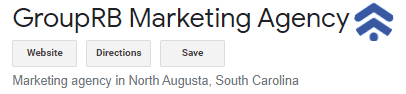
Now you can select relevant categories that reflect what your business does and that is in sync with what your website says you do. Your primary business category will appear on your listing, so choose wisely. GroupRB selected “marketing agency” as you can see below.
It is now time to add a thorough description that highlights not only what you do, but where you do it.
Take some time to think over what and how you want to write it, as you have 750 characters available to tell your story, use all of them, and include your most important information in the first 250 characters.
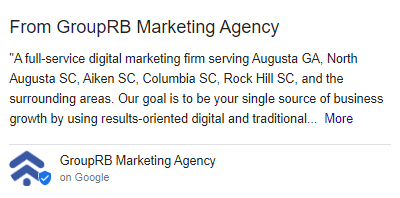
We should note that I showed the description in this section in the “From the Company” section of the profile:
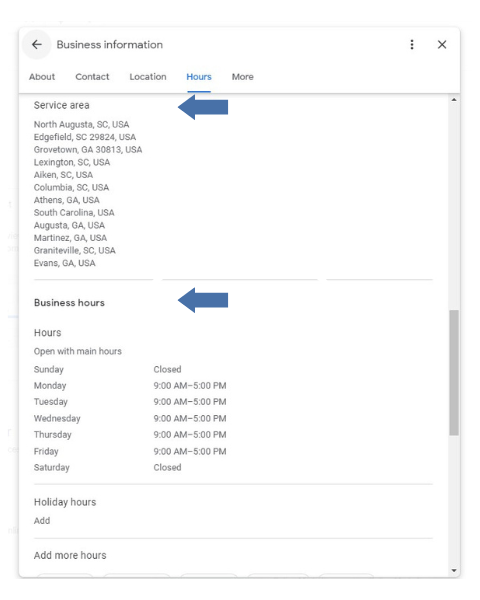
Next, you will enter the service area, hours, and holiday hours.
And this is where we will stop for this week!
So, what does it all mean?
You have now created your profile and entered your information to help you optimize your benefits
Your Business Profile is an essential tool that can help you appear in the moments when internet users are searching for your product or services. By following the steps above and optimizing your profile, you are on your way to being to sure that you’re making the most of this powerful tool.
We will look at setting up your products, services, and booking sections next week in a way that is helpful to your Google ranking and states your message effectively.
As always, if you want to do a complementary audit on your business to see where you stand today, you can do so at https://grouprb.com/get-your-free-online-audit-report/.
Until next time, remember that you deserve marketing that actually works.